キーを押すと、
カーソル速度が変わります。
キーを押しているあいだだけ低速になり、
離すといつもの速度に戻ります。
拡大鏡の表示や、ホイール動作のカスタムも。
Press a key, and your
mouse cursor changes speed.
The cursor slows down only while you hold the key,
and returns to your usual speed when you release it.
It can also show a magnifier and customize the wheel.

できること What it does
遅くするSlow down
細かい位置合わせをしやすくするために、ゆっくり動くようにします。Moves the cursor slowly so fine positioning is easier.
キー押下中/トグル
オンオフ可While key held / toggle
Can be turned off
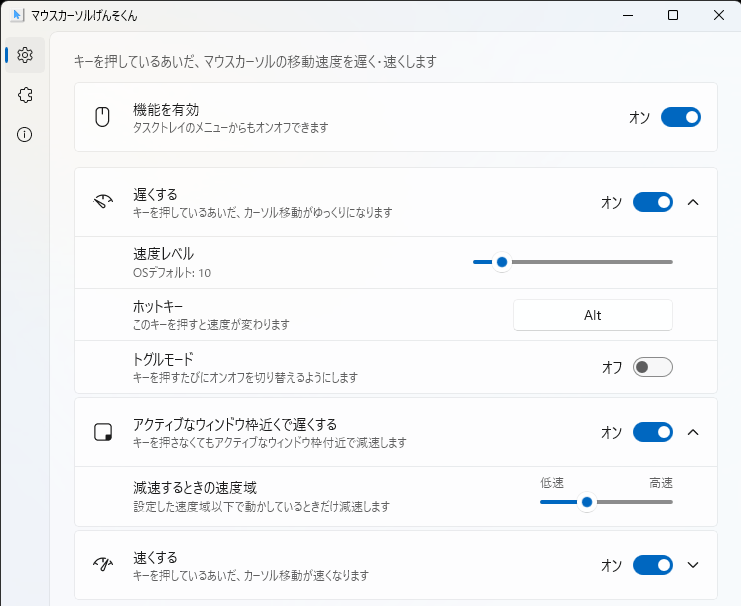
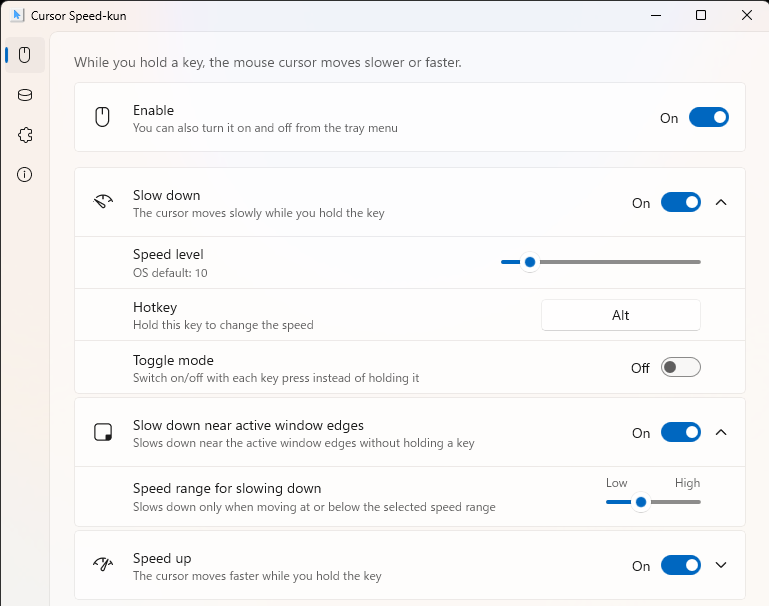
ウィンドウ枠付近で遅くするSlow down near window edges
アクティブウィンドウの枠付近で自動で減速します。ウィンドウのサイズ変更をしやすくします。Automatically slows down near the edges of the active window, making it easier to resize windows.
自動
オンオフ可Automatic
Can be turned off
速くするSpeed up
広い画面を素早く移動するのに使えます。OS の上限を超える速度(最大 32 倍)も設定可。Move quickly across large screens. Speeds beyond the OS limit (up to 32×) can be set.
キー押下中/トグル
オンオフ可While key held / toggle
Can be turned off
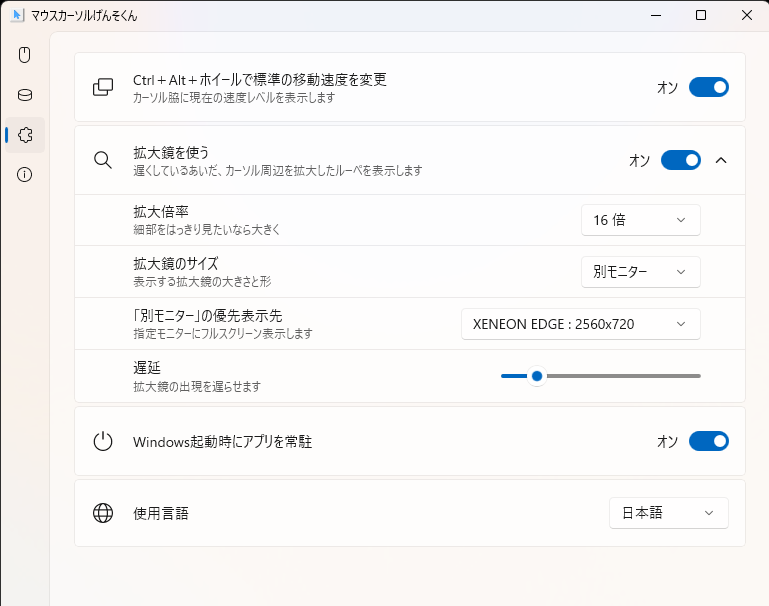
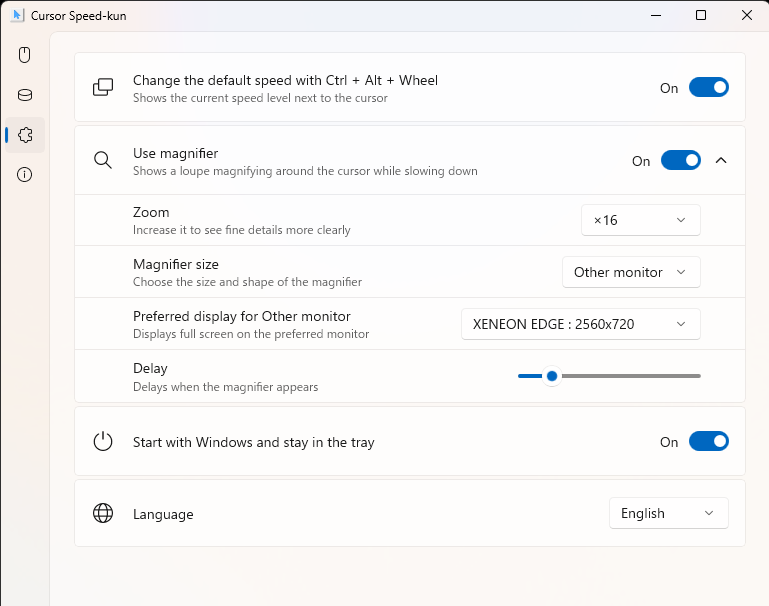
拡大鏡Magnifier
減速しているあいだ、マウスカーソル周辺を拡大表示します。倍率と拡大鏡のサイズを変更でき、セカンドディスプレイで全画面表示もできます。Magnifies the area around the cursor while it is slowed. You can change the zoom level and magnifier size, and show it full-screen on a second display.
減速中に自動表示
オンオフ可Auto-shown while slowed
Can be turned off
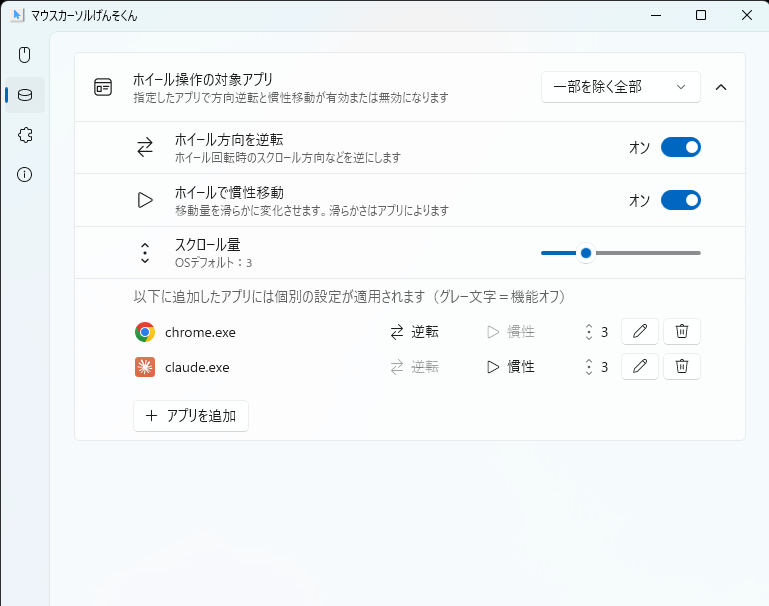
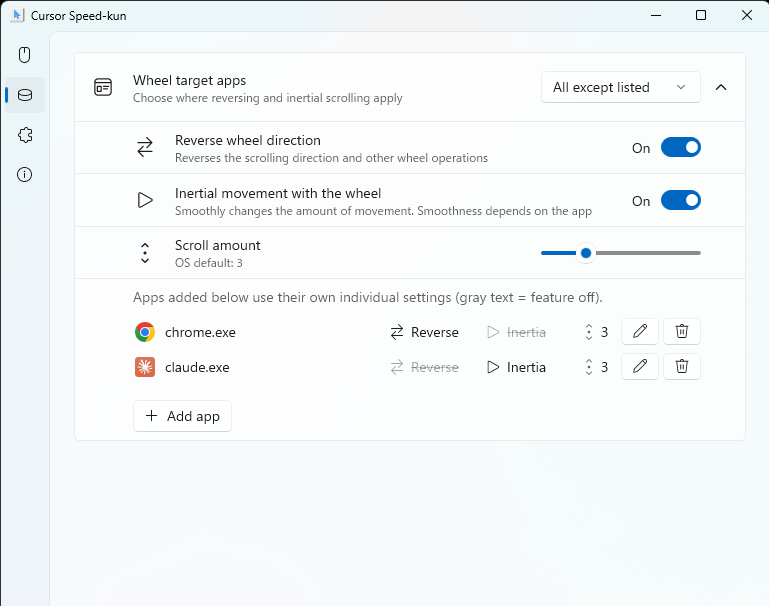
ホイール動作のカスタマイズScroll-wheel customization
スクロールの方向反転・慣性移動・スクロール量を設定できます。アプリ単位の対象/除外設定にも対応。Set scroll-direction inversion, inertial scrolling, and scroll amount. Per-app include/exclude is also supported.
アプリ別オンオフ可Per-app on/off
- 日本語/英語の切り替えJapanese / English switching
- OS 立ち上げ時の自動起動Launch automatically at startup
入手方法 How to get it
ストアからダウンロードできない方向けのインストーラ Installers for those who can't use the Store
0059791C94F2EBD0D0831CF783F63DF9FE0D9C5C570F5F764862BB51D1310F89
82EF489892ABE24EED843781C6D23CACA6F157F6F103B865FB07987248DE8701